VispectaBeta Open Vispecta

IFC viewer for infrastructure

Sections, stations and profiles – straight from your IFC models.

Vispecta opens IFC models in your browser and turns them into cross sections, longitudinal profiles and drawings – made for rail and road projects. Free, open source, and your files never leave your computer.

  • Free
  • Open source · AGPL-3.0
  • Runs locally
  • IFC 2x3 · 4 · 4.3
vispecta.com
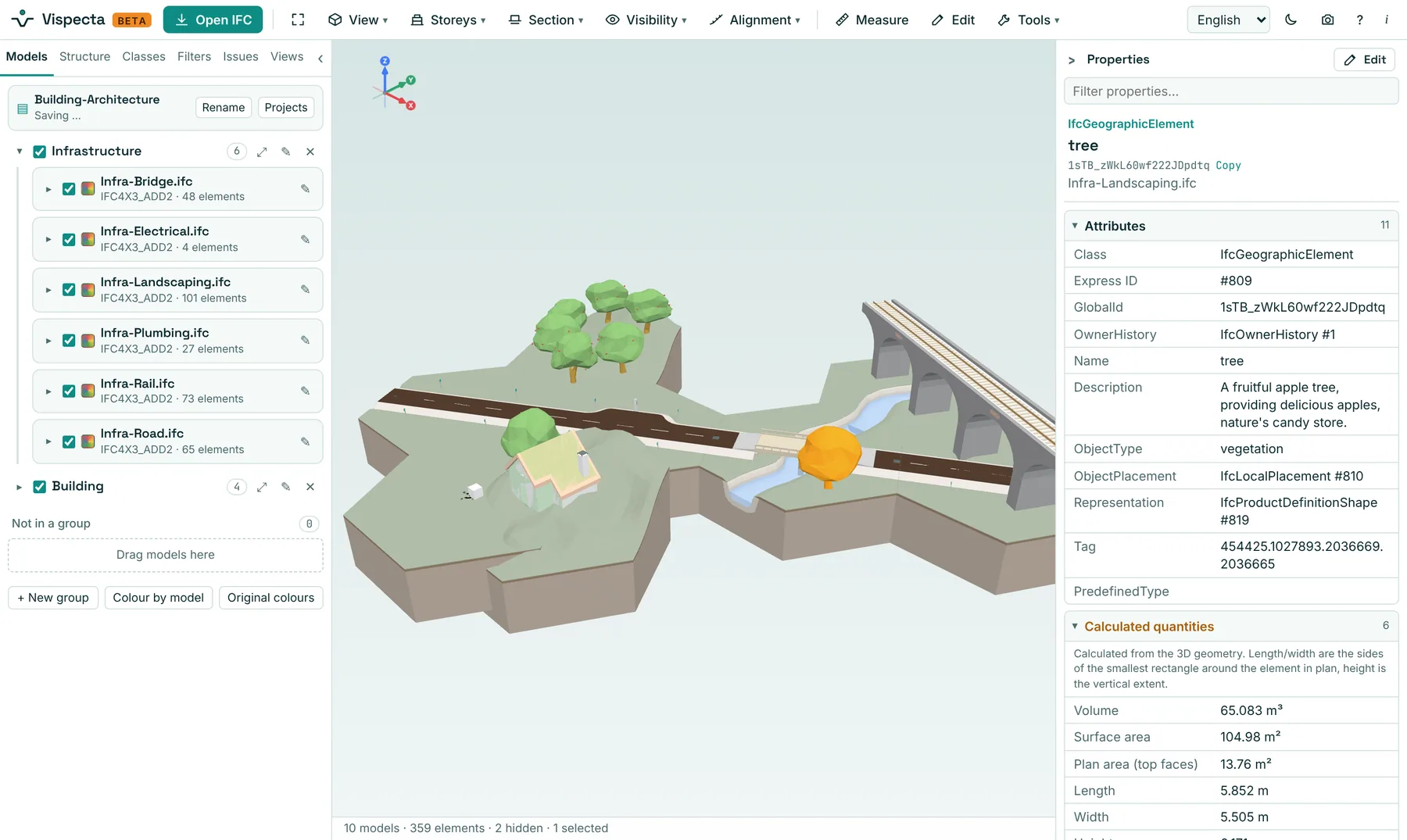
Vispecta with the buildingSMART IFC 4.3 sample scene: rail bridge, road, creek and a house, models grouped in the model browser

“As an engineer in railway projects I kept jumping between programs to cut a section, check a model or find my way along the alignment. Vispecta puts the tools I missed in one place – in the browser, without installing anything.”

Rasmus Roien Molbaek Railway engineer and author of Vispecta

Made for the way infrastructure is read

Alignments, stations and cross sections are the language of rail and road. Vispecta speaks it.

Alignments & stationing

Cut at any station

Vispecta reads IFC 4.3 alignments with their stationing. Type a station and get a cross section exactly there, with classic A–A section marks in the model – or drive along the track. No alignment in the file? Draw a line and use it the same way.

  • IfcAlignment with station labels and kilometre posts
  • Hatched cut faces in the model colours
  • Step through stations with the arrow keys
Section window

See the plan and the section side by side

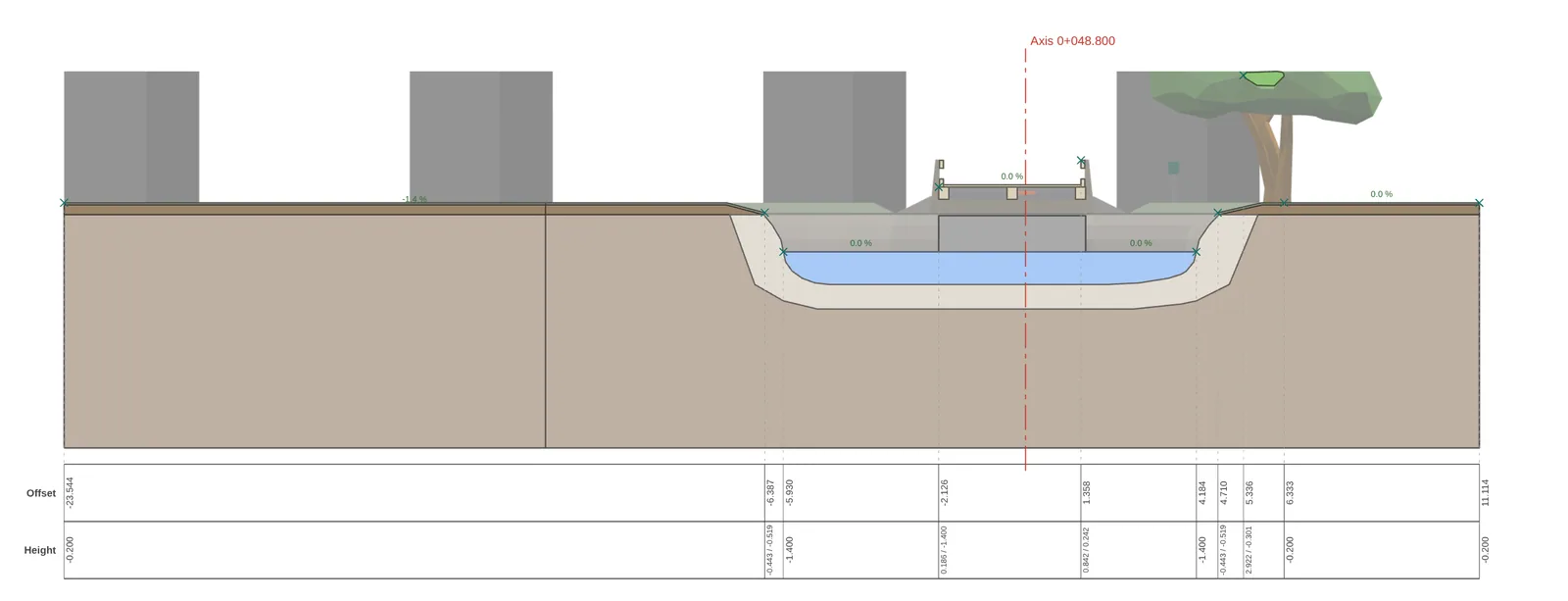
The section window shows the live 2D cut while you move through the model. Put it on a second screen, read offsets and levels at the break points, and let the key plan show where you are.

  • Offset / level at every break point
  • Key plan with the cut line and view direction
  • Opens in its own window if you like
Drawings

From model to drawing in one click

Export sections as PDF, SVG or DXF – at scale, with a title block, the view behind the cut, and a band with offsets, levels and slopes. Make a whole series of cross sections in one PDF.

  • PDF, SVG and DXF with layers
  • Annotation band: offset, level, slope
  • One page per station for a series
An exported cross-section drawing with a band of offsets and levels
Longitudinal profiles

Unroll the model along the line

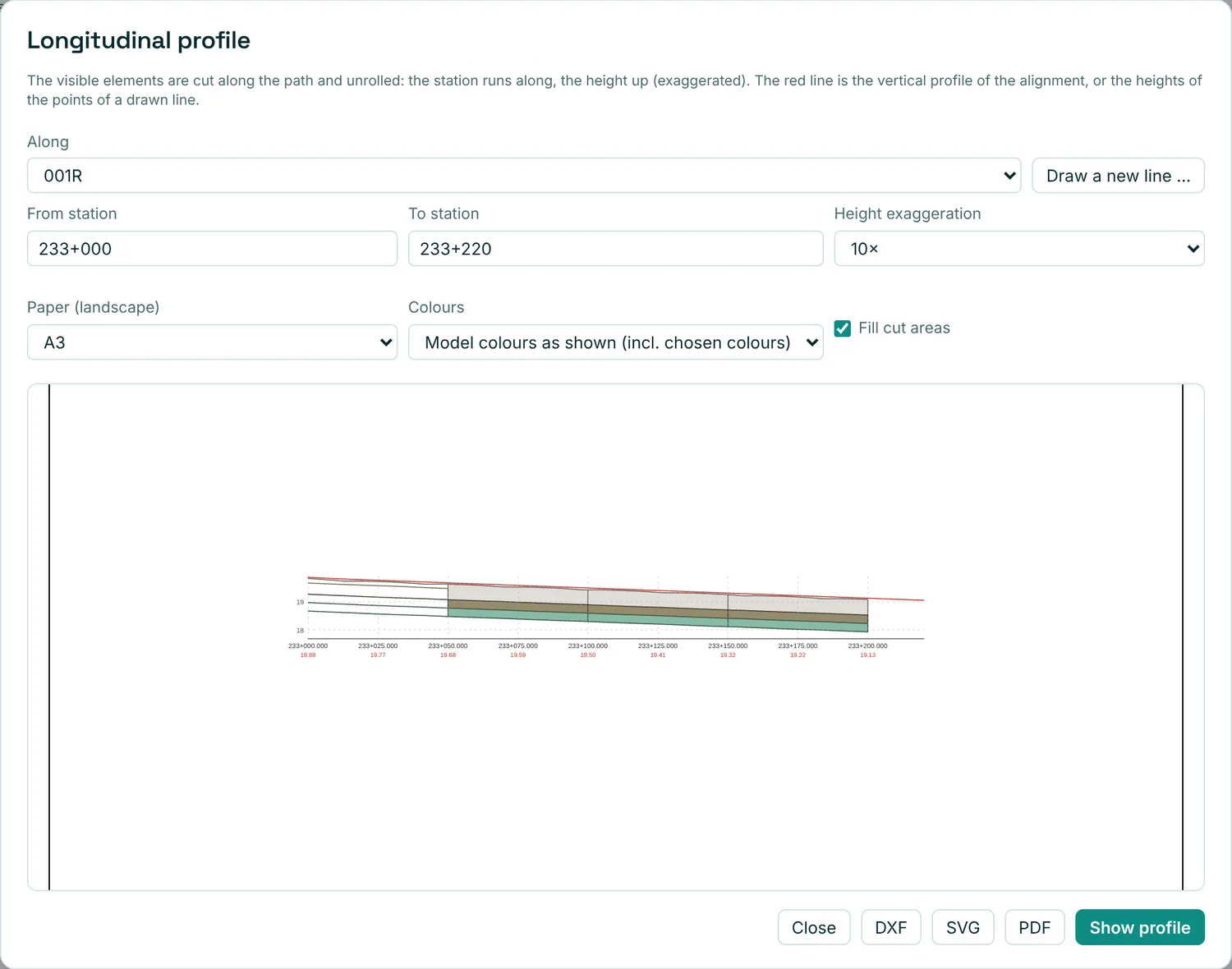
A longitudinal profile along an alignment or a line you draw from A to B: everything the line passes, unrolled, with stations and levels – and ready to export.

The longitudinal profile dialog along alignment 001R from km 233+000 to 233+220
Many models, one view

Bring the disciplines together

Load the track, the road, the bridge and the building at once – placed by their coordinates. Group them, give them names you recognise, switch whole groups on and off, merge them into one file or compare two versions.

Model checking

Check the information, not just the geometry

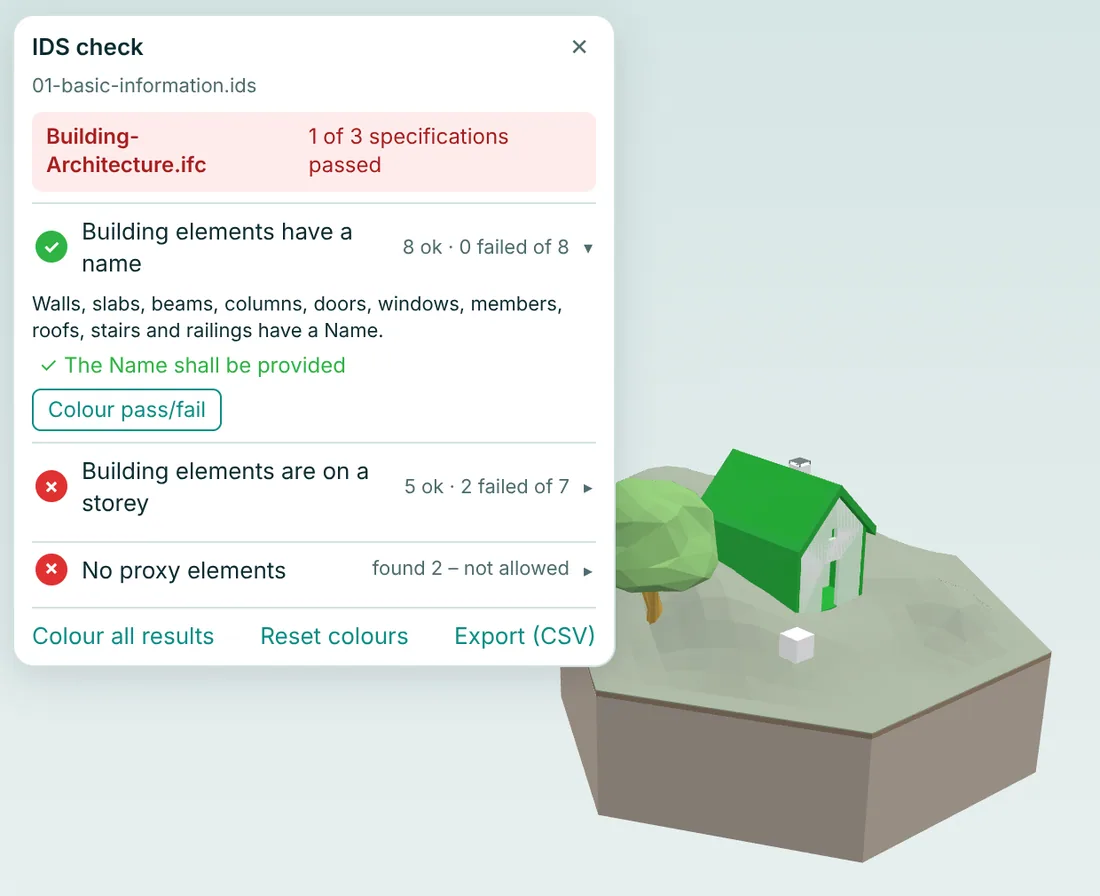
Run IDS checks (buildingSMART Information Delivery Specification) with IfcOpenShell's ifctester, see what passes and fails in the model, and write issues as BCF. Example IDS files are included.

IDS check results with passed elements coloured in the model
MeasureDistances, levels and coordinates with snapping – also in map coordinates.
QuantitiesCount, volume, area and length per class, storey or any property – to CSV.
Compare & mergeSee what was added, removed or changed between two versions. Merge models into one IFC.
Python insideScript the model with IfcOpenShell, right in the browser.
Edit metadataFix names and properties and download the corrected IFC.
Colour-blind friendlyA colour style based on the Okabe–Ito palette, plus muted, light and vivid styles.
Works offlineInstall it as an app. After the first visit it starts without a connection.
Four languagesEnglish, Danish, German and Hindi.

Privacy by design

Your models stay on your computer.

Vispecta has no server that sees your files. Everything – reading the IFC, cutting sections, checking IDS, running Python – happens in your browser with WebAssembly.

  • No uploadIFC, BCF and IDS files are processed locally.
  • No trackingNo cookies, no analytics, no accounts.
  • Saved in your browserProjects and settings stay in this browser only.
  • Self-containedThe app, fonts and Python runtime all come from vispecta.com itself.

Questions

Is it free?

Yes. Vispecta is free to use, also at work and in commercial projects.

What does open source under AGPL-3.0 mean for me?

You can use Vispecta freely and look at all of its code. If someone changes it and shares it – or runs a changed version as a service – they must publish their changes under the same licence. So nobody can take it, close it and sell it as their own.

Are my files uploaded anywhere?

No. The files are read and processed in your browser. Nothing about your models is sent to vispecta.com or anyone else.

Which IFC versions work?

IFC 2x3, IFC 4 and IFC 4.3 (including IfcAlignment). Large models of several hundred MB work in a desktop browser with enough memory.

What does “beta” mean?

Vispecta is new and growing. Not every feature has been tested on every kind of model, so expect the odd bug – and please report it.

Which browser do I need?

A current Chrome, Edge, Firefox or Safari on a computer. Phones and tablets can view models, but the tools are made for a bigger screen.

Help shape Vispecta

Ideas from real projects make the best features. Tell us what you need, report a bug, or contribute code.